Simple and Advanced
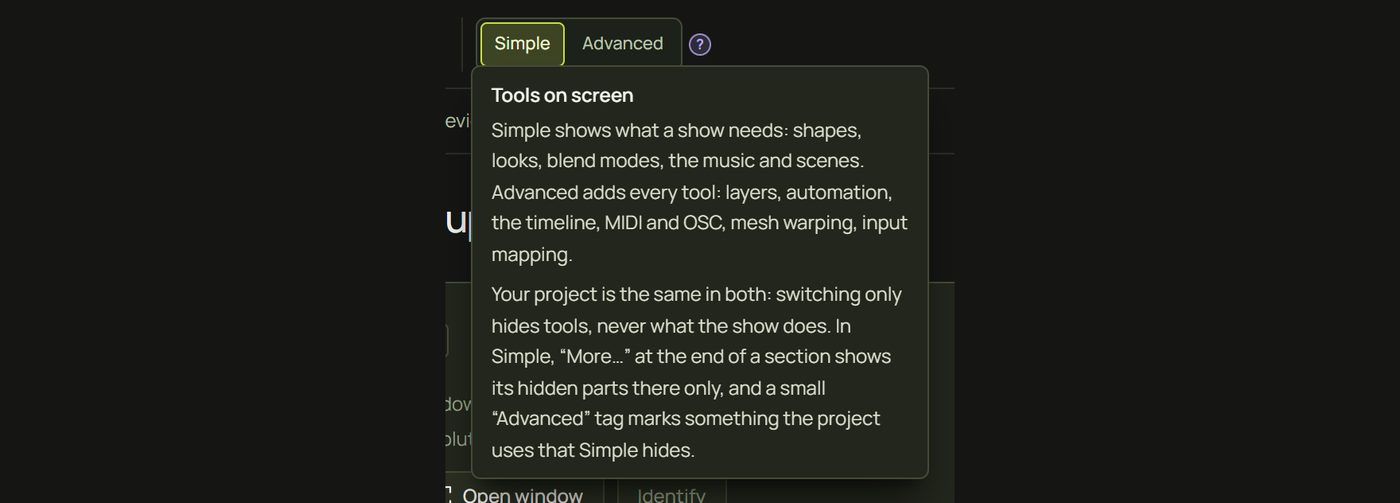
prism has two ways of looking at the same project. Simple shows what a show needs: shapes, looks, blend modes, music and scenes. Advanced adds every tool. Switching only changes what's on screen, never what your show does.
1The switch
Simple | Advanced sits in the top bar, after undo and redo. Click either side; prism changes at once, keeps what you're doing and remembers the choice in this browser. The ? next to it sums up the difference.
2How Simple works
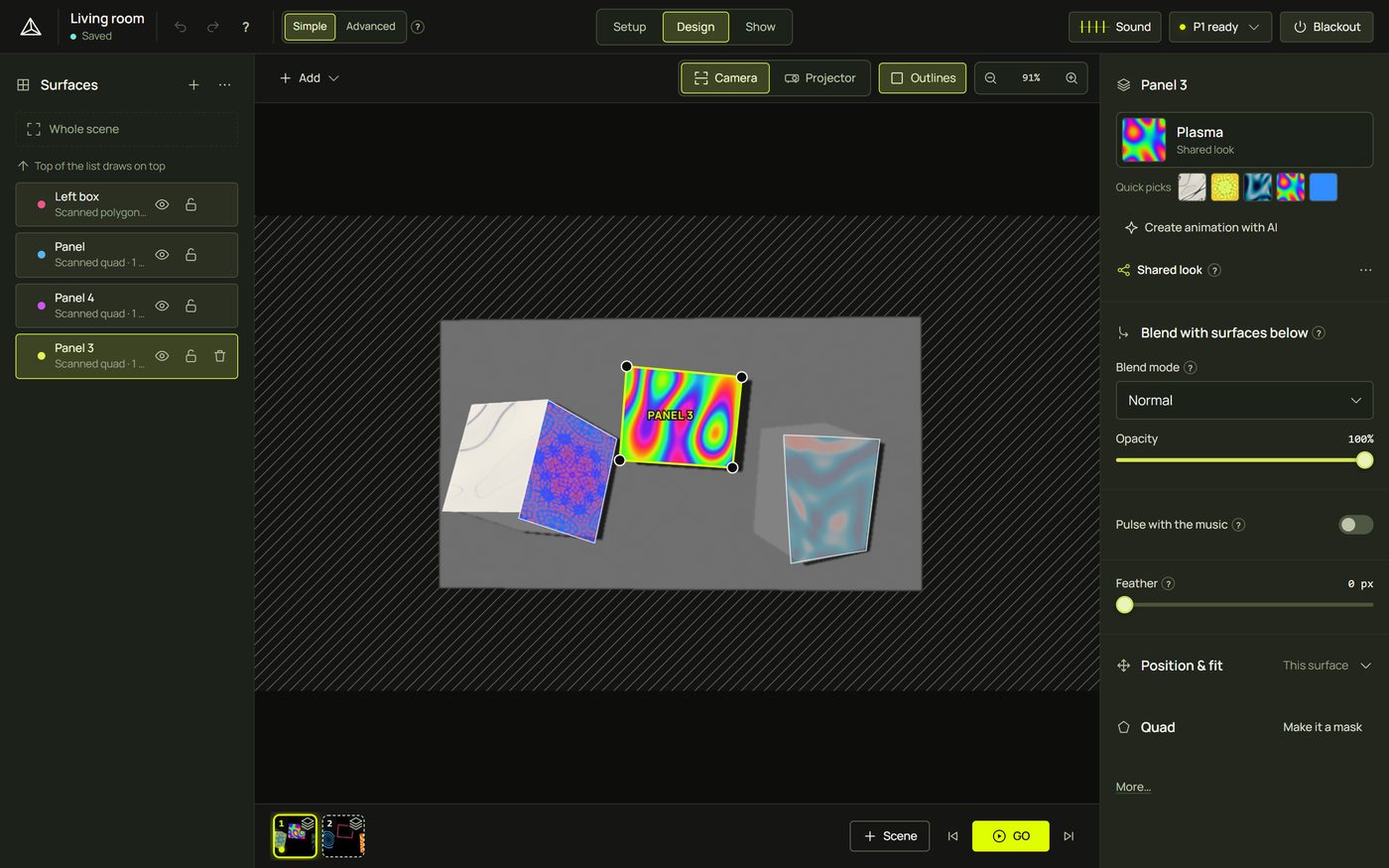
- Simple hides tools, never results. Looks, blend modes, music reaction and scenes are all there.
- Hidden never means broken. A project built with Advanced tools plays exactly the same in Simple. Where one is in use, a small Advanced chip says so.
- One click away. A section that hides something ends with More…, which shows it right there, for that section only.
- Shortcuts keep working in both modes.
3What Simple shows
| Where | In Simple |
|---|---|
| Top bar | Project name, undo and redo, Help ? (Documentation, Keyboard shortcuts), Simple | Advanced, Setup · Design · Show, Sound, the status light, Blackout |
| Setup | The projector card (Open window, Identify, the Wi-Fi hint), pairing, the scan with its checks and tips, and “What do you want to map?” with Rescan |
| Design toolbar | Add, Outlines, zoom, Camera / Projector |
| Add menu | Quad, Triangle, Circle, Polygon, Draw, Choose objects from the scan…, 3D object ▸ Box / Plane / Pyramid / Wedge, Mask ▸ Draw a mask |
| A selected surface | Name, look slot and quick picks, Create animation with AI, Blend with surfaces below (blend mode and opacity), Feather, Position & fit (Fit and Scale). Pulse with the music is in the look panel's Music area. |
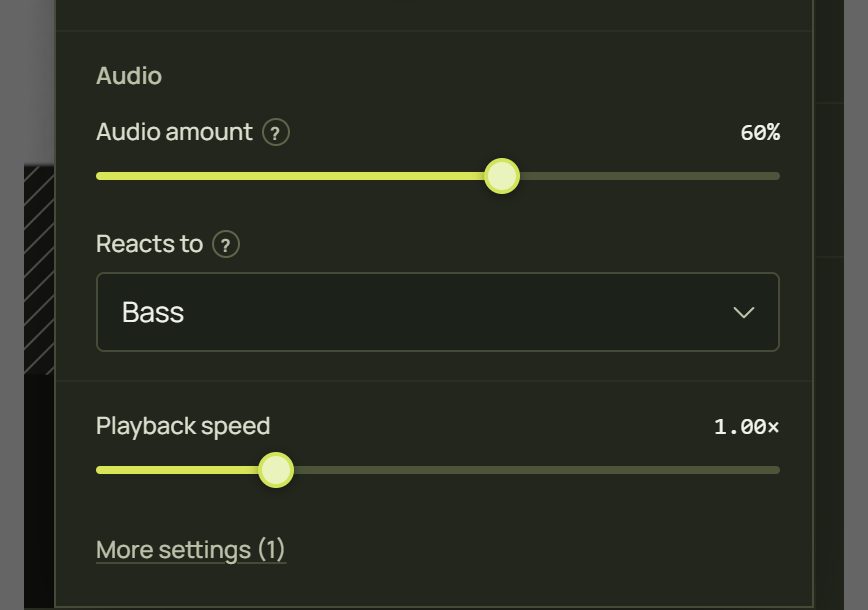
| Look panel | Presets, Defaults, the look's main settings, its Music area (its Audio settings, Pulse with the music and the one-click reactions) and Playback speed, then More settings (N) |
| Nothing selected | The project's name, output brightness and gamma, and the flash limit for every projector |
| Strip under the canvas | Scene tiles, + Scene, Update, the arrows and GO |
| Show | GO, the scenes, triggers, the preview, Sound, Blackout and brightness |
| Sound panel | The source (Microphone, This computer's sound, A video from the library), level and beat lamp, Sensitivity, the tempo and Tap tempo. In both modes. |
4What only Advanced shows
| Where | Advanced adds |
|---|---|
| Top bar | The keyboard-shortcuts and documentation (book) buttons, in place of Help ? |
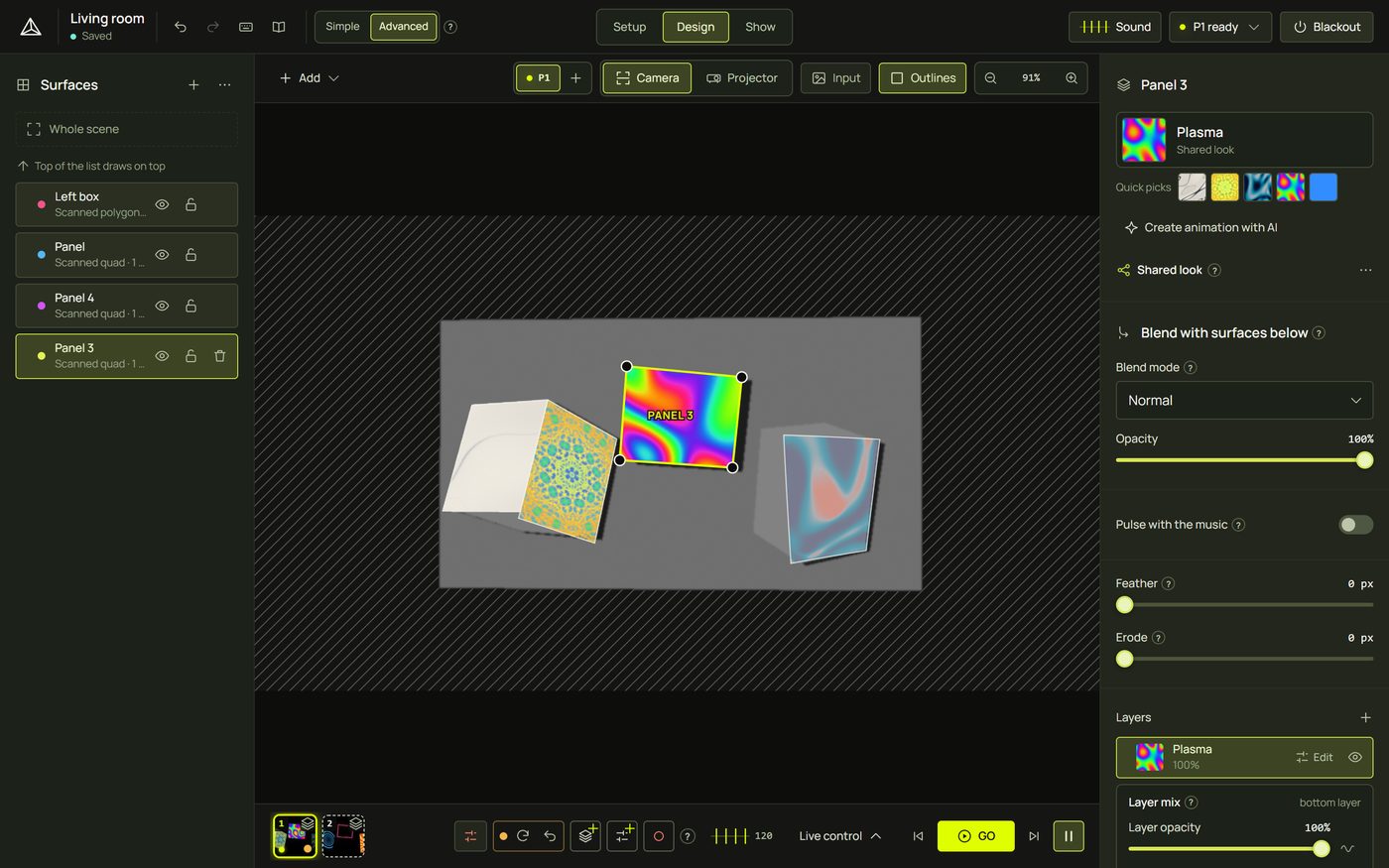
| Setup | Adding projectors, the screen and picture delay (also under the card's More…), the surface-detection choice, Re-detect, the scan's details |
| Design toolbar | The projector buttons (P1 · P2 · +) with one projector, and the Input view |
| Add menu | Line, Pen (curves), the other mask shapes, Group from selection, Pick object from the scan |
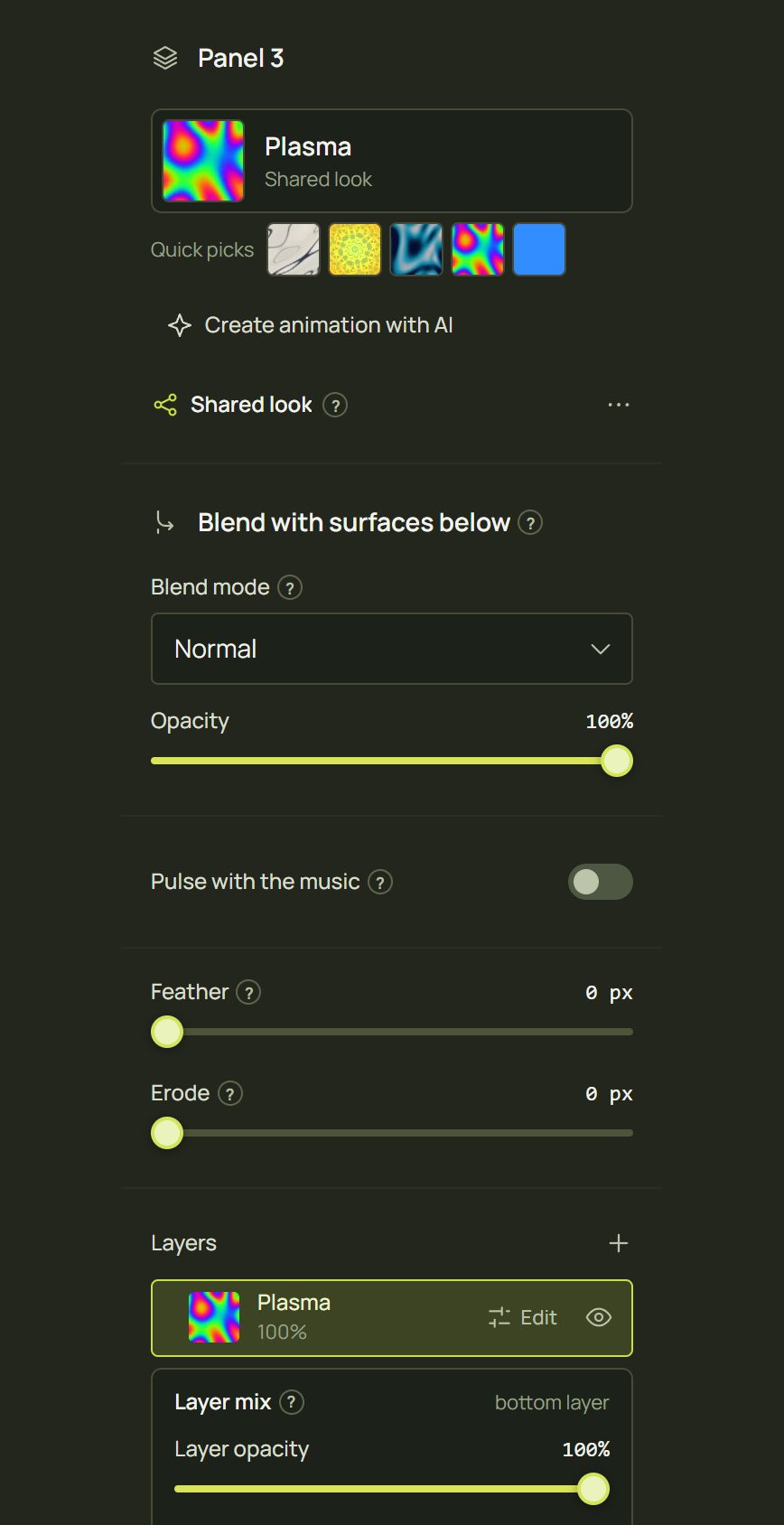
| A selected surface | The layer stack (shown in Simple too once a surface has two layers), Input, Erode, exact positions, Curves, Mesh warp, the automation summary |
| Look panel | Every setting at once, the automation (wave) buttons, live markers, Restart on cue, timeline keys |
| Strip | + Cue, the Cues row, Edit cues, Revert, pausing the follow, Live control (Scenes & cues, Timeline, Audio, MIDI, OSC, Keys, Automation, Triggers) |
| A projector (P1) | Soft edge, test patterns, trim and the stage |
| Right-click menus | Automation, the timeline, MIDI learn, OSC, Input mapping, mesh items, Align on the object… and Align the projection… |
Pages about Advanced tools carry the Advanced badge, like Align the whole scene and Several projectors.
5More…
In Simple, a section with hidden parts ends with More… (in the look panel, More settings (N), where N is how many settings it will show). Click it and the hidden parts appear in place, for that section only; the link turns into Less. It stays open while you work, and switching to Simple closes every one again.
6Advanced chips
When something in your project uses a tool Simple hides, a small lavender Advanced chip appears next to the thing it affects, with its name: Advanced · Automation, Mesh warp, Input mapping, Erode, Soft edge, Trim, Geometry only, N cues… It still plays as built. Click the chip: its section opens in place (and flashes), or, where Simple has no section for it, prism switches to Advanced and takes you there.

7Help and keyboard shortcuts
In Simple, the top bar's keyboard and book buttons make way for one Help ? menu: Documentation (F1), Keyboard shortcuts (?) and Show every tool (Advanced). The shortcut sheet in Simple lists the simple keys; every shortcut still works in both modes. See Keyboard shortcuts.

Hints and tips
- Start in Simple, even if you know projection mapping: it's quicker to find things. Open a More… when you need one tool.
- Share a project freely. Simple and Advanced are a browser setting, not part of the project: someone in Simple sees your Advanced show exactly as it plays.
- Chips are a to-do list. In Simple, the chips show at a glance where a project uses Advanced tools.
- Menus shrink too. Right-click menus in Simple leave out the Advanced items; switch to Advanced when a menu item you expect is missing.
When something looks wrong
| You see | Why | Fix |
|---|---|---|
| A button from this documentation is missing | It's an Advanced tool. | Look for More… in that section, or switch to Advanced. |
| No Live control button | It's Advanced; in Simple, Sound is in the top bar and scenes are in the strip. | Switch to Advanced. |
| Something moves by itself, but Simple shows no setting for it | An Advanced tool (automation, a timeline) drives it. | Click the Advanced chip beside it. |
| Another computer shows the other mode | The mode is remembered per browser. | Click the switch there once; it's remembered. |
| Opened sections closed again | Switching to Simple closes every More…. | Open the one you need again. |